Creating AI UGC Videos from Product URLs: A Complete Guide for Marketers
In the evolving world of digital marketing, video content stands as a powerful tool for engaging consumers. User-Generated Content (UGC) videos, known for their authenticity and trustworthiness, are especially effective in driving conversions. However, gathering genuine UGC at scale can be challenging. Enter AI-generated UGC videos, an innovative solution that transforms simple product URLs into dynamic and personalized video content effortlessly. This guide dives deep into how to create AI UGC videos from product URLs and boost your marketing game.
What Are AI UGC Videos?
AI UGC videos simulate the style, tone, and feel of user-created content using artificial intelligence technology. Unlike traditional video ads, these videos mimic real customer testimonials, reviews, or usage demonstrations but are generated quickly using AI without relying on actual user submissions. This hybrid approach combines the power of UGC authenticity with AI automation, enabling brands to create social proof-driven video content at scale.
Why Use AI to Generate UGC Videos?
- Scalability: Automatically generate videos from hundreds or thousands of product URLs without manual filming.
- Cost-effective: Reduce the expenses of sourcing, filming, and editing real video content.
- Speed: Produce high-quality UGC-style videos in minutes rather than days.
- Personalization: Tailor videos to specific audiences, products, or platforms.
- Consistent Branding: Maintain brand aesthetics alongside authentic, natural storytelling.
How AI UGC Videos Work Using Product URLs
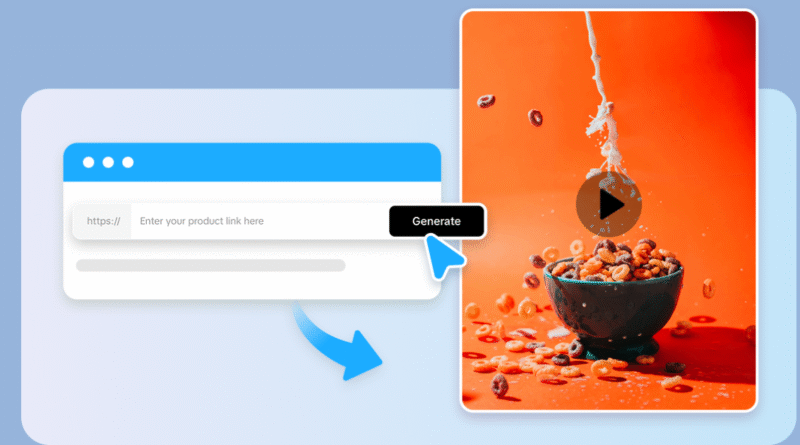
The process involves AI UGC generator tools that can automatically extract product details—images, descriptions, reviews, ratings—from a product URL (e.g., an e-commerce product page) and use that data to create a video. Here’s the typical workflow:
- Input the Product URL
Paste the direct product link from your shop or marketplace into the AI video platform. - Data Extraction
The AI scrapes product images, price, title, descriptions, and user reviews automatically from the URL. - Script and Theme Generation
AI generates a script or text overlay using the extracted reviews and product details that simulate genuine customer feedback. - Video Assembly
Using pre-built templates and synthetic avatars or text animations, AI compiles a video combining product shots, captions, and testimonial snippets. - Customization and Editing
Users can tweak the style, voice, length, and captions to match branding needs. - Export and Share
The final video is ready for social media ads, website embeds, or email campaigns.
Step-by-Step Guide to Creating AI UGC Videos from Product URLs
Step 1: Choose an AI Video Generation Platform
Several AI tools specialize in creating UGC-style videos from product URLs. Popular URL to video generators include Tagshop AI, Synthesia, InVideo AI, and others designed to streamline the input-output process. When selecting a platform, consider:
- Ease of use and automation level
- Template customization options
- Integration with e-commerce or CMS platforms
- Video output formats optimized for social media or websites
Step 2: Prepare Your Product URLs
Ensure your product URLs are clean and complete, leading directly to product details. Websites like Shopify, Amazon, or your custom online store work well. The more detailed the product page (with images, reviews, and descriptions), the richer your AI videos will be.
Step 3: Upload or Enter the URL into the AI Tool
Most platforms have a straightforward interface where you input one or multiple URLs. For bulk video creation, batch upload features can speed up the process.
Step 4: Review and Customize Video Templates
The AI will generate a rough video draft using the extracted data. Review the video for accuracy and tone, then customize:
- Avatar or voiceover style to reflect authentic users
- Text overlays pulled from customer reviews
- Background music matching your brand vibe
- Video length and aspect ratio based on platform (e.g., vertical for TikTok, horizontal for YouTube)
Step 5: Edit and Enhance
Add your branding elements such as logos, color schemes, and call-to-action (CTA) prompts like “Shop Now” or “Learn More.” AI tools often allow easy drag-and-drop or text editing to fine-tune the message.
Step 6: Render and Export
Finalize your video and export it in formats optimized for your marketing channels. High-quality MP4 videos with resolutions supporting mobile and desktop screens are standard.
Step 7: Deploy Your AI UGC Videos
Share your videos on social media platforms (Instagram, TikTok, Facebook), integrate them into your product pages, or use them in email marketing campaigns to increase engagement and conversions.
Benefits of AI UGC Videos for Marketers and Brands
- Boost Conversion Rates: UGC videos build trust by mimicking genuine customer experiences, making potential buyers more confident.
- Increase Social Proof: Authentic-style testimonials generated automatically reinforce product credibility.
- Save Time and Money: Reduce reliance on manual video production and user content collection.
- Scale Promotions Easily: Generate videos for entire product catalogs quickly.
- Personalize at Scale: Create variations targeting different customer segments or platforms without extra effort.
Tips to Maximize AI UGC Video Performance
- Use real customer reviews or verified feedback as the source content for AI-generated scripts.
- Choose AI avatars that align with your audience demographics.
- Keep videos short and focused (15-30 seconds) to match social media consumption habits.
- Always include clear CTAs and brand elements.
- Test varying video styles and messages to see what resonates best.
Common Challenges and How to Overcome Them
- Data Accuracy: AI might pull incorrect or outdated product information — regularly audit content inputs.
- Overly Generic Videos: Personalize templates and voiceovers to avoid bland outputs.
- Review Quality: Use verified and genuine reviews, filtering out spam.
- Platform Compatibility: Adjust video aspect ratios for specific social networks.
Emerging Trends in AI UGC Video Creation
- Multi-lingual Videos: AI now supports generating videos in multiple languages for global reach.
- Interactive Videos: Some platforms offer clickable video features to enhance viewer engagement.
- Real-time Inventory Updates: Videos can dynamically change based on stock or promotions.
- Synthetic Influencers: AI avatars allowing hyper-personalized brand ambassadors in videos.
Conclusion
Creating AI UGC videos from product URLs revolutionizes how brands scale authentic video marketing. By leveraging AI’s power to automate content generation from existing product data and customer feedback, marketers save time and cost while enhancing trust through social proof. This innovative approach unlocks new opportunities for D2C brands and e-commerce sellers to engage customers on social platforms and beyond.
Start by choosing the right AI video generation tool, feed it your product URLs, customize your video scripts and visuals, then launch compelling, personalized UGC-style videos that drive real business results.